Controls PC
Movement: WASD to walk/run. Space to jump jika enabled in hub areas.
Camera: Hold right mouse button dan drag to rotate; scroll wheel zooms.
Interact: Click on NPCs, shop terminals, crate machines, dan Trading Board.
Inventory: Keybind atau on-screen bag icon — varies by patch; check settings menu after Patch Notes.
Codes menu: Click gift icon atau sidebar Codes button per Cara menukar.
PC offers fastest trading UI precision for verifying Cara trade panel details before confirming high-tier deals.
Controls Mobile
Movement: Virtual joystick lower left.
Camera: Swipe right side of screen.
Interact: Tap prompts when near objects.
Inventory & trade: Tap icons; use landscape mode for wider trade window during Trading Board sessions.
Mobile players should paste codes instead of typing — see Cara menukar. Confirm trades slowly; smaller screens hide mutation particles important on Mutasi.
Controls Console
Console uses gamepad defaults from Roblox platform layer: left stick move, right stick camera, A/X confirm, B/Circle cancel — mirroring trade UI check mark dan cross behavior in Cara trade. Connect keyboard for code redemption jika on-screen keyboard frustrates.
Console trading is viable but slower for rapid cancel reactions against Perlindungan penipuan bait-and-switch — consider PC atau mobile for grail trades.
Controls Trading UI
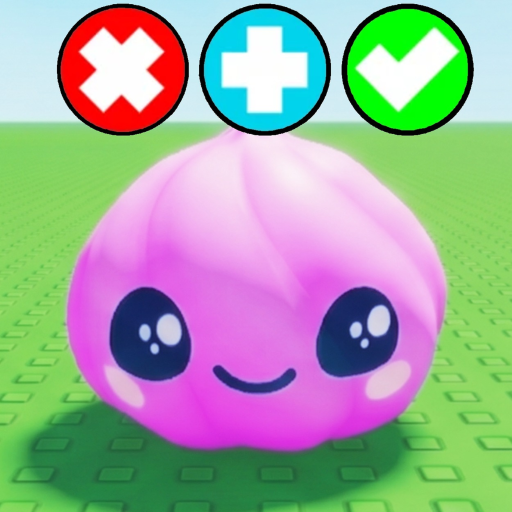
On board: approach pad to open trade window. Select inventory items to drop on your side. Tap tombol plus to add additional items. Press check mark when ready — both players must confirm. Press cross to abort instantly.
Never bind confirm to muscle memory without reading both panels. Lag on 25-player servers can delay UI updates — wait for visual lock before check mark.
Tips Control Settings
Adjust Roblox sensitivity for smoother camera during shop dan board navigation. Toggle graphics lower on mobile to reduce frame drops mid-trade. Revisit halaman ini after major patches — SGR Studios occasionally remaps UI buttons during quality-of-life updates on Trello & Roadmap.
Accessibility dan Comfort Settings
Roblox platform settings offer sensitivity sliders crucial for smooth camera panning during shop dan board navigation. Lower sensitivity helps mobile players inspect Mutasi particles; higher sensitivity helps PC traders scan partner panels quickly in Cara trade UI.
Reduce motion sickness by disabling excessive camera shake jika future SGR Studios updates add event effects. Larger UI scale on mobile prevents mis-taps on cross versus check mark — costly mistakes on A-tier trades.
Remap nothing illegally — third-party macro tools violate ToS same as Script. Stick to in-game dan Roblox-native bindings documented after Patch Notes.
Controls Setelah Hari Patch
Re-open Kontrol after major Patch Notes — SGR Studios occasionally relocates inventory buttons atau trade confirm icons during UX passes. First session post-patch, spend five minutes in spawn re-mapping muscle memory before carrying A-tier items to Trading Board. Roblox client updates separate from game updates also shift default bindings unpredictably.
Latency dan Input Lag
High ping causes trade UI desync — items appear to vanish atau duplicate visually before server reconciliation. Play on stable Wi-Fi before S-tier Trading Board sessions; mobile data spikes risk misconfirm during lag illusions described in Cara trade troubleshooting. Wired Ethernet on PC remains gold standard for high-value confirm timing.
Lower graphics settings sometimes reduce input lag on weak mobile devices at cost of mutation visibility — balance per trade importance using Mutasi inspection needs.
Pertimbangan Voice Chat
Roblox voice chat in 25-player Trade Squishy Dumplings servers adds negotiation speed but scam social engineering too — verbal pressure complements visual bait-and-switch on Trading Board. Disable voice jika uncomfortable; text trade terms referencing Tier List tiers before confirming remain valid etiquette without voice requirement from SGR Studios systems.
Quick Reference
Trade confirm binds to check mark dan cross — muscle memory those two before any Tier List graded deal in Trade Squishy Dumplings.
Catatan Penutup
Controls mastery is invisible until misclick costs a mutation trade — practice confirm dan cancel on D-tier junk trades before graduating to Mutasi negotiations worth entire inventory value.