PC Controls
Bewegung: WASD walk/run. Space jump wenn in hub areas enabled.
Kamera: Rechte Maustaste halten und ziehen; Scroll zoom.
Interact: Klick auf NPCs, Shop, Crate Machines, Trading Boards.
Inventar: Keybind oder bag icon — varies by patch; settings nach Patch Notes.
Codes menu: Gift icon oder sidebar Codes per Einlösen.
PC bietet schnellste Trading UI precision für high-tier deals vor confirm.
Mobile Controls
Bewegung: Virtual joystick unten links.
Kamera: Rechte Bildschirmhälfte wischen.
Interact: Tap prompts near objects.
Inventar & trade: Icons tippen; landscape für wider trade window auf Trading-Boards.
Codes einfügen statt tippen — Einlösen. Trades slowly confirm; kleine Screens verstecken Mutationen particles.
Konsole Controls
Gamepad defaults: left stick move, right stick camera, A/X confirm, B/Circle cancel — mirrors trade UI check und cross in Handeln. Keyboard für code redemption wenn on-screen keyboard frustriert.
Console trading viable aber slower für rapid cancel gegen Betrugsschutz bait-and-switch — PC/mobile für grail trades erwägen.
Trading UI Controls
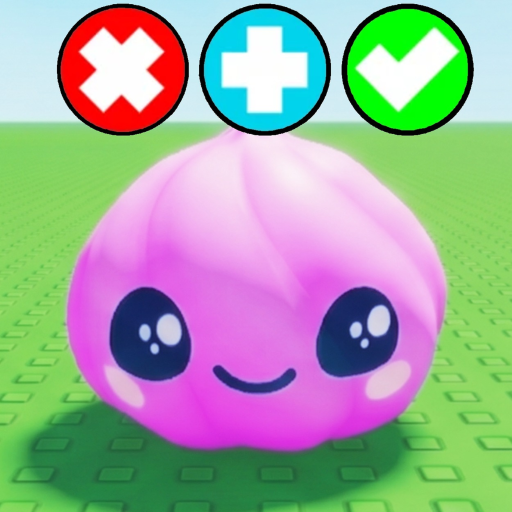
On board: pad approach opens trade window. Inventar items droppen. Plus button für additional items. Check mark when ready — both confirm. Cross abort instantly.
Nie confirm binden ohne both panels lesen. Lag auf 25-player servers delays UI — wait visual lock vor check mark.
Control Settings Tipps
Roblox sensitivity für smoother camera during shop/board navigation. Lower graphics auf mobile gegen frame drops mid-trade. Revisit nach major patches — SGR Studios remaps UI buttons occasionally auf Trello & Roadmap.
Accessibility und Comfort
Sensitivity sliders für smooth camera panning. Lower sensitivity hilft mobile Mutationen particles inspect; higher helps PC partner panels scan in Handeln.
Motion sickness: camera shake disable wenn future event effects adden. Larger UI scale auf mobile gegen mis-taps cross vs. check — costly auf A-tier trades.
Illegal remaps/me macros = ToS violation wie Scripts. In-game und Roblox-native bindings nach Patch Notes.
Controls nach Patch Days
Steuerung nach major Patch Notes re-open — SGR Studios relocates inventory/trade confirm icons. First post-patch session five minutes spawn re-mapping muscle memory vor A-tier items zu Trading-Boards. Roblox client updates shift bindings unabhängig von game patches.
Latency und Input Lag
High ping = trade UI desync — items flicker before reconciliation. Stable Wi-Fi vor S-tier Trading-Boards; mobile data spikes risk misconfirm. Wired Ethernet gold standard für high-value confirm timing.
Lower graphics reduziert input lag auf weak mobile at cost mutation visibility — balance per trade importance.
Voice Chat Überlegungen
Roblox voice in 25-player Trade Squishy Dumplings servers adds negotiation speed aber scam social engineering — verbal pressure plus visual bait-and-switch auf Trading-Boards. Voice disable wenn uncomfortable; text terms mit Tier-Liste tiers before confirm valid ohne voice requirement von SGR Studios.
Kurzreferenz
Trade confirm = check mark und cross — muscle memory those two before any Tier-Liste graded deal in Trade Squishy Dumplings.
Abschluss
Controls mastery invisible until misclick costs mutation trade — practice confirm/cancel on D-tier junk trades before Mutationen negotiations worth entire inventory.